Free limited version
Try the certificate plugin
before you buy.
Install it on your own WordPress site, create one certificate and test online verification end to end. Upgrade when you need more students.
One student record per site. That record stays editable.
One student.
The whole workflow.
Every tool stays switched on. Only the number of records is capped.
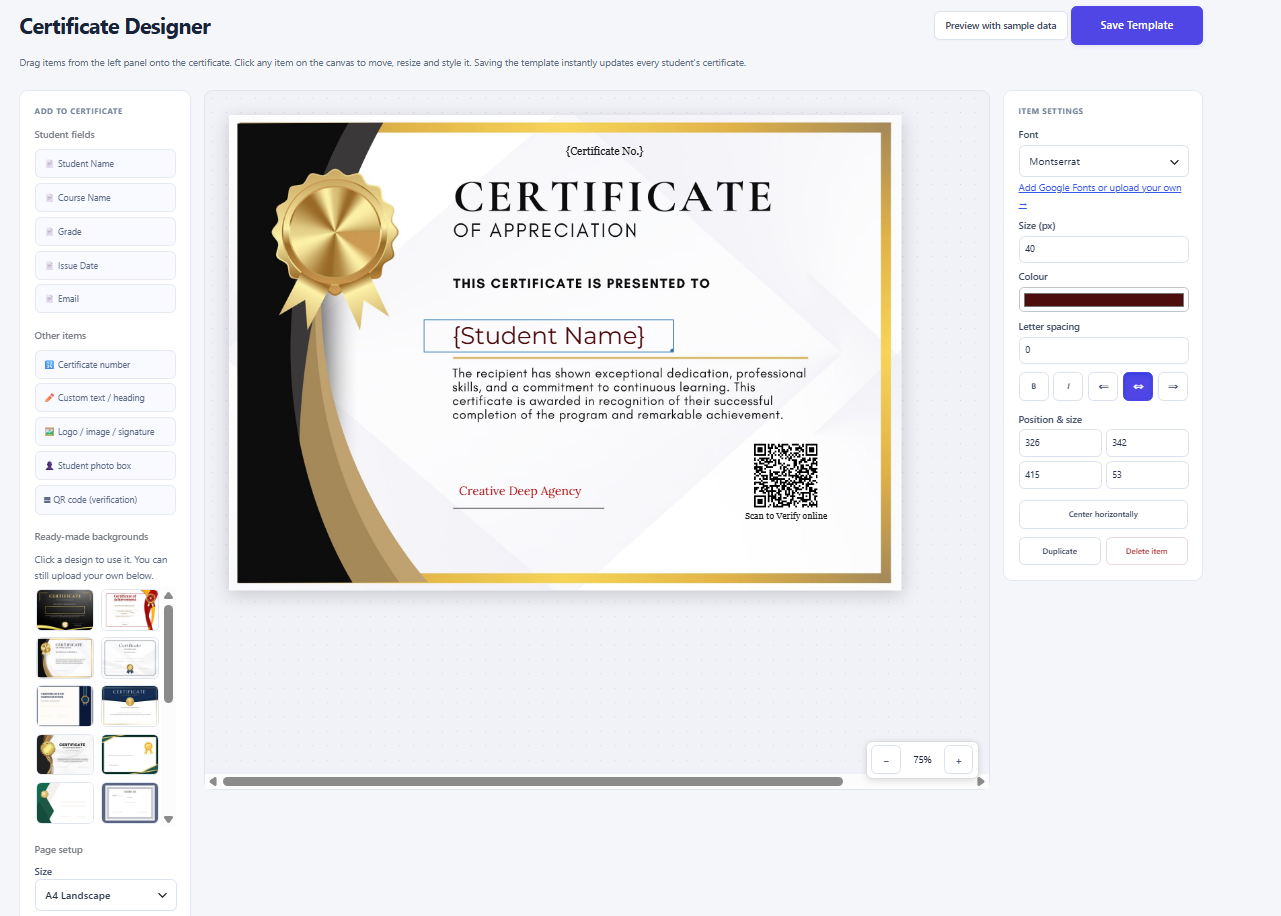
Design the certificate
Drag-and-drop editor, 16 built-in backgrounds or your own artwork.
Add your branding
Logo, signatures, configurable text and student details, placed where you want them.
Or upload your own
Attach an existing PDF, JPG or PNG instead of generating one. The upload replaces the generated certificate and stays downloadable in full.
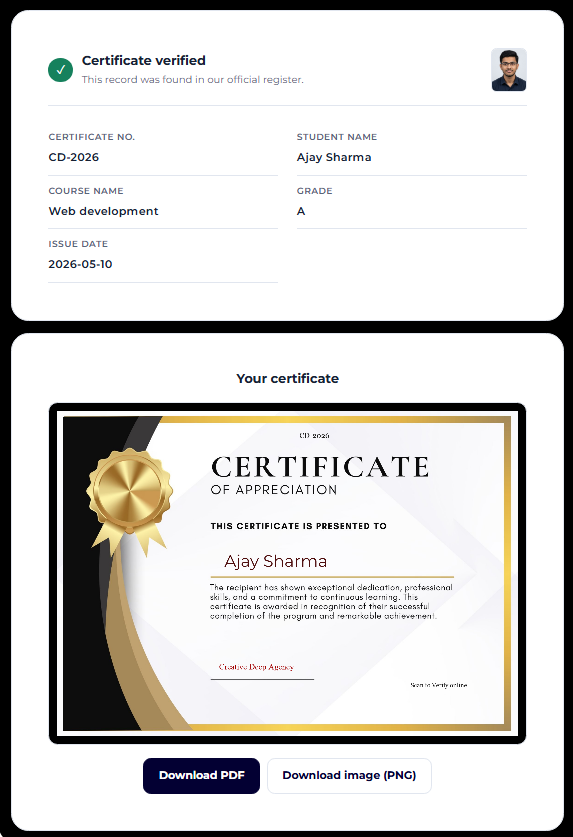
Verify by number
Anyone can check a certificate number on your site. No student account needed.
Match your site
Control the verification page text, colours, type, spacing and visible fields.
Download and email
Generate a PDF or PNG and send a test email through the mail setup your site already uses.
Three steps to your first certificate.
-
01
Install the demo
Upload the ZIP through the WordPress plugins screen.
-
02
Add one test student
Enter fictional details, set the certificate number, then design or upload a certificate.
-
03
Verify and deliver
Publish a page with
"Shortcode",you can find it in help Section, check the record, then test the download and email.
Pick your test certificate number carefully — it cannot be changed in the limited version.
What changes when you upgrade.
| Feature | Free limited version | Full version |
|---|---|---|
| Student records | One per site | Unlimited |
| Edit student details | Included | Included |
| Delete student records | Disabled | Included |
| Change certificate numbers | Disabled | Included |
| Certificate creation and upload | Available for testing | Included |
| Verification, downloads and email | Available for testing | Included |
| CSV import and backup restore | Extra students blocked | Full functionality |
| Replace-all restore | Unavailable | Available |
The one-student limit applies to manual entry, CSV import and backup restore alike.
Keep your setup.
Add more students.
Replacing the demo with the full edition keeps your student, settings and certificate design in place. You get unlimited records, student deletion, certificate-number editing and full import and restore.
Take a backup first and follow the upgrade guide supplied with the full edition.
One-time payment.
Lifetime access.
Questions before you install
What happens if I add a second student?
It is not added. The limit is one student per site, whether you use manual entry, CSV import or a backup restore.
Can I edit or delete my demo student?
You can edit the details any time. Deleting the record and changing its certificate number are disabled in the limited version.
Can I use a certificate I already designed?
Yes. Upload it as a PDF, JPG or PNG. It replaces the generated certificate for that student, and the original file stays downloadable and emailable in full.
Do students need an account to verify?
No. They enter the certificate number on your verification page and see the matching record.
Will I keep my settings and design when I upgrade?
Yes. Your demo student, settings and certificate design are retained. Keep a backup and follow the supplied upgrade guide.
How do certificate emails get sent?
Through the mail configuration your WordPress site already uses. The plugin does not add its own sending service.
See how it works on your own website.
Start with one test student. Move to the full version when you need more.
Developed by Creative Deep