Need to check student certificates on your own site? This guide shows how to implement student verification on WordPress, from preparing records to publishing a certificate-number lookup. It also helps you choose between generating certificates and verifying ones you already issue.
What a student verification page should do
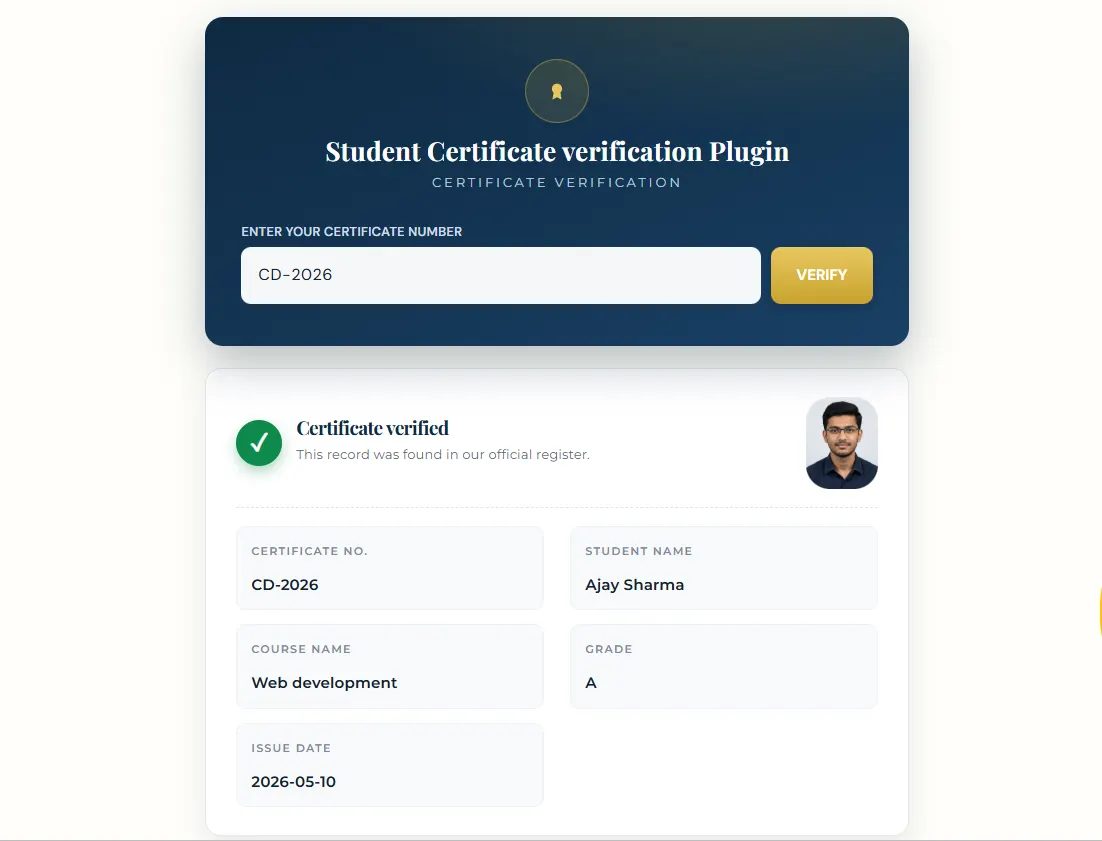
A visitor enters a certificate number and sees the matching student record on your website. The institution controls the record, the fields shown, and the certificate file available for download. This gives employers and admissions teams a direct way to check a certificate without emailing your office.
How to set up student certificate verification in WordPress
1. Choose the right workflow
If you need to design and issue new course certificates, choose WordPress Certificate Generator & Verifier (V-1). It provides a visual designer, templates, PDF and PNG downloads, and optional QR verification. If you already design certificates elsewhere and only need to verify student records and attach existing files, choose Certificate Verification System (V-2).
2. Prepare your student records
Collect the details you want a visitor to see, such as student name, course, issue date and a unique certificate number. Check for duplicate numbers and spelling errors before import. Both versions support CSV import, so you can add many records without entering them one at a time.
3. Create the certificate or attach an existing file
With V-1, start from a template or your own design, place student fields, and generate certificates from the records. With V-2, keep your existing certificate-design process and attach each finished certificate file to its record. V-2 does not generate new PDF certificates.
4. Publish and test the verification page
Add the plugin’s verification page to your WordPress site and link to it from your navigation or certificate emails. Test a valid number, a mistyped number and a record with an attached certificate. Check the result on a phone as well as a desktop before sharing the page with students.
Which version should you buy?
- Choose V-1 when your WordPress site should make the certificate and verify it.
- Choose V-2 when your institution already makes certificates and needs an online verification system.
Try the V-1 live demo or compare V-1 and V-2 before buying. The demo shows the V-1 workflow; it is not a V-2 demo.
Frequently asked questions
Can visitors verify a certificate without a WordPress login?
The verification page is intended for public certificate-number lookup. Your institution manages the underlying records in WordPress.
Can I use certificates created outside WordPress?
Yes. V-2 is designed for existing certificates: add the student record and attach the finished certificate file. If you want WordPress to create new certificates, choose V-1.
Ready to set up student verification? See the available plugins and select the workflow that matches how you issue certificates today.